AIBOM Explained: Inventory and Verify AI Agent Tools
An AI Bill of Materials (AIBOM) is a structured inventory of the AI components a system records, such as tools, models and dependencies. Tool-oriented exports can include declared contracts, fingerprints and drift state. Check the scope of an export before treating it as a complete inventory.
The problem AIBOM solves
Modern AI agents are built from parts you didn’t write: MCP tool servers, third-party APIs, foundation models from several providers, retrieval sources. Every one of those is a supply-chain dependency, and every one can be compromised – a tool silently re-described to carry malicious instructions, a typosquatted server posing as a trusted one, a model swapped for a tampered version.
A Software Bill of Materials (SBOM) records software components and versions. An AIBOM applies the inventory idea to AI components so reviewers can identify what is present and compare changes over time.
An inventory makes tool review possible, but inventory completeness and tool safety still require verification.
What’s in an AIBOM
A complete AIBOM lists every tool in the workspace, along with the attributes that matter for supply-chain integrity:
Inventory detail | What to record | What it helps explain |
|---|---|---|
Component name and source | The declared tool and its origin | Which components were included |
Action class | The declared read, write or execute behavior | What reviewers expected the tool to do |
Risk and sensitivity | The recorded classification and review context | Why a component needs closer review |
Argument schema | The declared inputs | What was approved at the recorded version |
Contract fingerprint | The digest of the recorded contract fields | Whether those fields have changed |
Pin status | The baseline and its review state | Which version was accepted; not proof of safe implementation |
Drift state | Differences from the recorded baseline | What needs investigation or renewed review |
CycloneDX: the format that matters
CycloneDX provides a structured inventory format that can support existing review workflows. Confirm that the receiving tools and reviewers support the AI fields and evidence included in your export.
A SHA-256 digest over a canonical component list helps compare the exported content. A digest alone does not authenticate the publisher: verify an available signature and its trusted key, and distinguish signed from unsigned evidence.
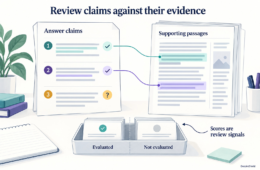
Figure: A maintained AI bill of materials connects component inventory, verified contract baselines, drift checks and a reviewable export.

How an AIBOM supports procurement review
Procurement and vendor-risk reviewers may ask which AI tools a service uses, who approved them and how changes are handled. A maintained AIBOM provides a structured starting point for those questions.
Use the inventory to show tool definitions, ownership, pin state and change-review evidence. The exact evidence required depends on the buyer, system and applicable obligations; an AIBOM does not by itself establish regulatory compliance.
Agree on the export format and scope with the reviewer. This avoids presenting a technically valid inventory that omits the components or evidence the review needs.
Getting started with AIBOM
- Inventory every tool your agents can call – MCP tools, internal APIs, and third-party services included.
- Pin each tool to its current contract fingerprint to set the verified baseline.
- Turn on drift detection so any later change to a tool’s contract trips a signal.
- Export the AIBOM in CycloneDX format and fold it into your security-review package.
- Regenerate it on a schedule and after any tool change, so the inventory stays current.
How DeepintShield approaches this
DeepIntShield provides a workspace AIBOM export for recorded inventory and integrity evidence. Verify the export scope, digest and signature status before sharing it. Without a configured AIBOM signing seed, the document is explicitly unsigned; neither a signed nor unsigned inventory substitutes for runtime authorization.
Frequently asked questions
What is an AIBOM?
An AIBOM is an inventory of the AI components included in its declared scope. Depending on the implementation, it can include tool contracts, fingerprints and review state alongside other component metadata.
How is an AIBOM different from an SBOM?
An SBOM describes software components and versions. An AIBOM extends the inventory approach to recorded AI components, such as tools and their contracts. Check both format compatibility and coverage before using an export in a review.
How can procurement use an AIBOM?
Procurement can use an AIBOM to ask focused questions about tool ownership, approved definitions and changes. Confirm the required scope with the buyer instead of assuming every procurement process mandates the same artifact.
A simple example
Suppose a support workflow uses three MCP tools. Export their recorded names, schemas and pin states before a release, then compare that inventory after a tool update. A changed fingerprint tells the reviewer where to look; it does not explain whether the change is safe.
Check the export scope and signature status before sharing it. DeepIntShield marks AIBOM exports unsigned when no signing seed is configured. A hash helps compare content; a trusted signature adds evidence about its origin. Neither replaces tool review or permission checks.